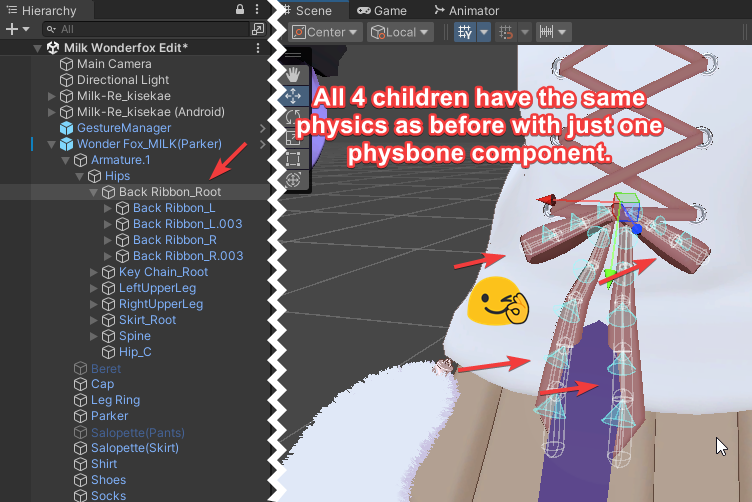
To reduce the number of physbones, you must identify points on your avatar where there is a chain of bones connected to each other that each have separate physbone script components.
Examples of this include:
- Hair
- Ears
- Boobs
- Skirt
- Tail
- (Pretty much anything symmetrical, or that can/do meet at a singular point - or share a common parent)
How to Identify/Locate the Physbone Component(s)
- On a given model’s armature, navigate to the desired physics bones.
- Inspect each child bone of the bone you’re looking at; if you click them, do they each have a physbone script? If so, we can condense them down to one.
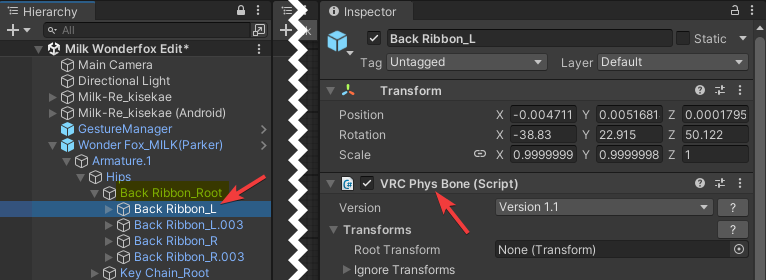
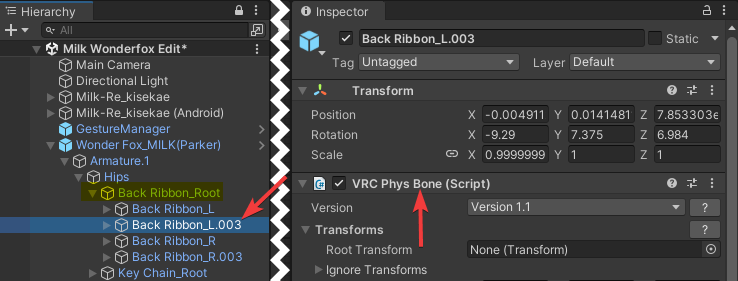
Example: The following clothing item has a ribbon with 4 children, each with their own physbone component. See below.
How to Combine These Bones Into One
- In the example above, these bones already have a parent called “Back Ribbon_Root” - the highlighted bit. We’ll use this existing parent to hold a single physbone script which will then be inherited by its children.
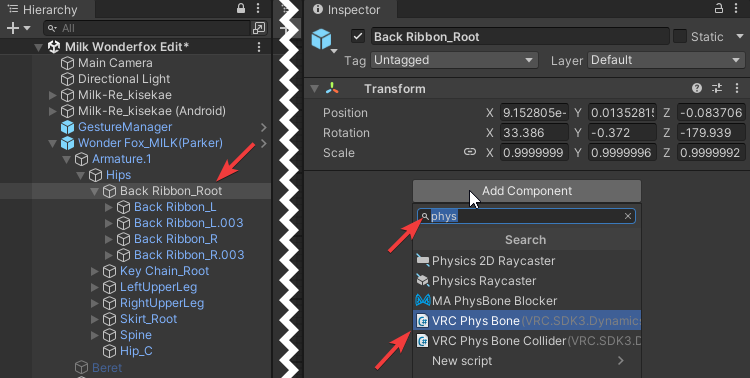
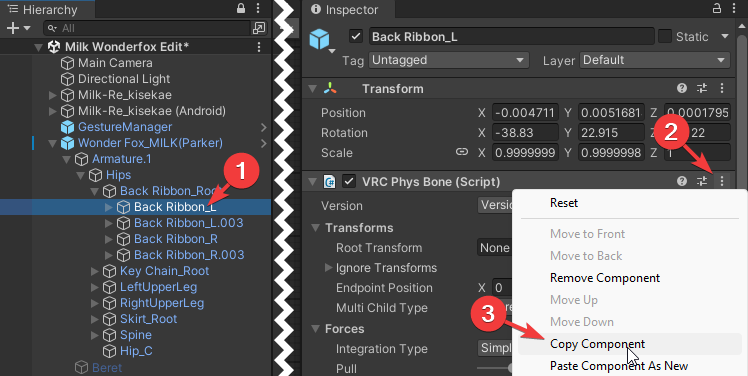
- After this, we need to then copy the component from one of the child bones. This will get us the properties for that component so the physics don’t have any perceptible difference when switching to the new bone from above.
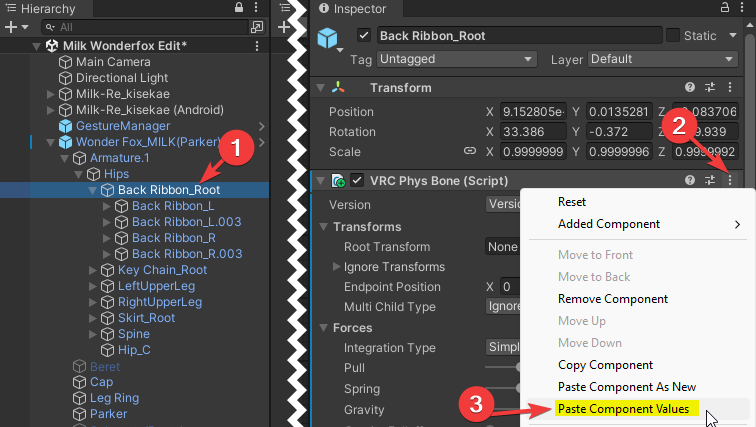
- Paste the properties of that copied component onto the new physbone component we put on the parent.
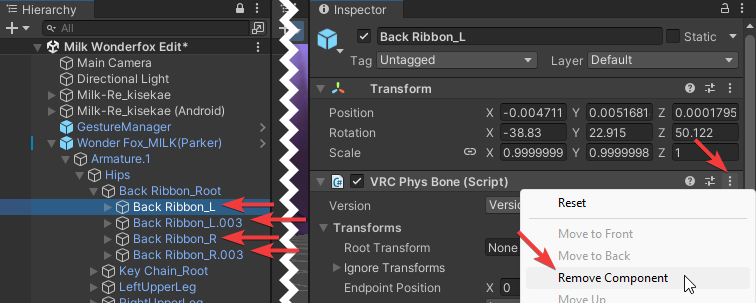
- Remove the physbone component from each of the children.
- Verify your object has the appropriate physics by inspecting the Gizmos in the scene view.