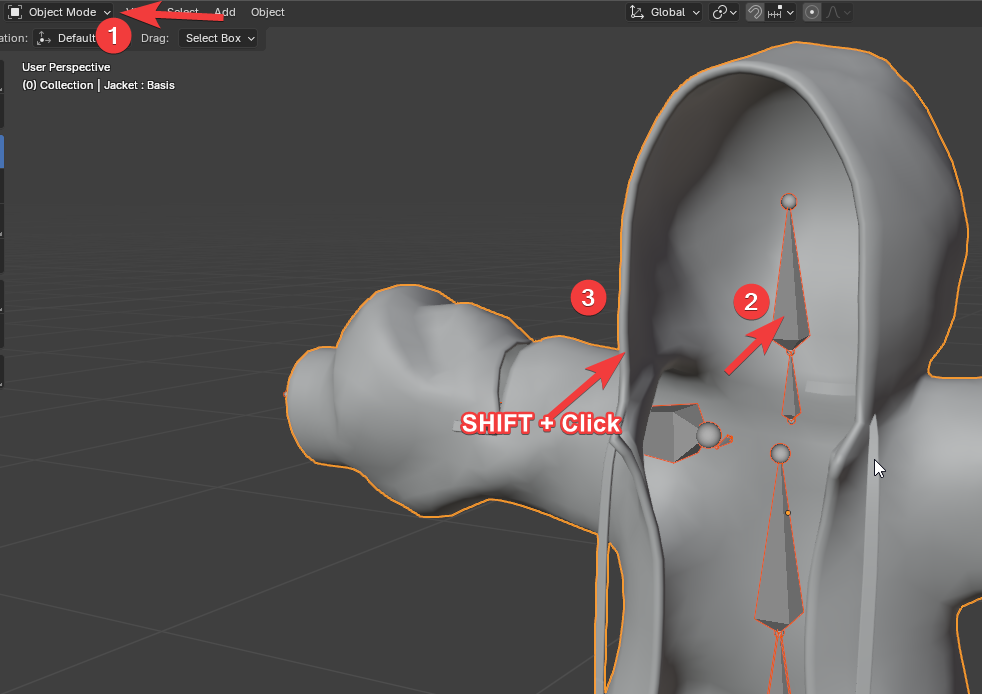
To access weight painting: In object mode first select the armature then SHIFT + Click the target mesh to be painted.
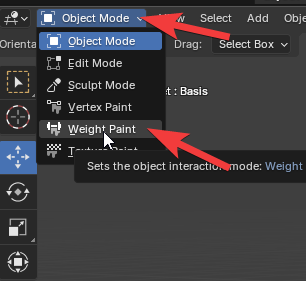
Then, change from “Object Mode” to “Weight Paint”.
From here, you can Select a Bone to change its weights on the mesh.
To access weight painting: In object mode first select the armature then SHIFT + Click the target mesh to be painted.
Then, change from “Object Mode” to “Weight Paint”.
From here, you can Select a Bone to change its weights on the mesh.